Receiving — inbound dock & ASN management in TMSDASH
Manage inbound receiving. Schedule dock appointments, receive against advance ship notices (ASNs), and put away stock into the right bins and zones. (ShipperTMS only.)
Overview
Manage inbound receiving. Schedule dock appointments, receive against advance ship notices (ASNs), and put away stock into the right bins and zones. (ShipperTMS only.)
How to get there
Key features
- Dock appointment scheduling for inbound deliveries
- Receive against ASNs with quantity verification
- Put-away into stock bins and zones
- Receiving log with carrier, appointment, and discrepancy notes
Step-by-step
- 1Open the sidebar → Warehouse → Receiving.
- 2Review today's dock appointments for inbound deliveries.
- 3Open an appointment and receive against its ASN, verifying quantities.
- 4Put away received stock into the right bins and zones.
Page preview
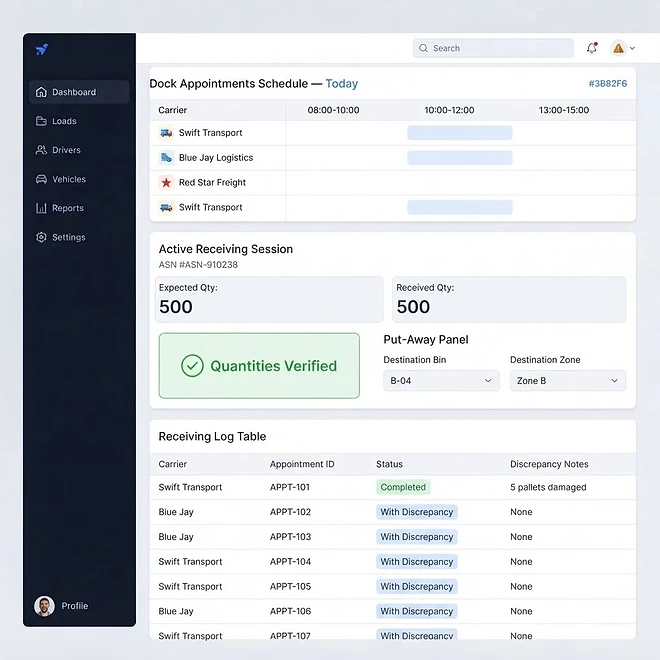
Representative screenshot of the Receiving page.
Was this helpful?
Related modules
The operational command center for shippers. It surfaces shipment performance, open RFQ counts, dock-appointment throughput, and inventory reorder alerts — so a shipper sees outbound health, pending carrier awards, and warehouse readiness in one glance. (ShipperTMS only.)
A focused outbound overview for shippers. Track ready-to-ship orders, pending pickups, and in-transit shipments, and spot bottlenecks before they delay a customer. (ShipperTMS only.)
A live view of warehouse health for shippers. Inventory levels, dock-appointment throughput, pick/pack backlogs, and reorder alerts roll up across every warehouse and zone so you can balance labor and capacity. (ShipperTMS only.)
Create and track every outbound shipment — from tender through scheduled, in-transit, and delivered. Filter by status, link a provider, and watch awarded RFQ shipments bridge into a carrier's Load automatically with reverse status sync. (ShipperTMS only.)
Ready to put it into practice?
Start your free trial and explore this module with your own data.