Pallet Labels — GS1 & SSCC label printing in TMSDASH
Generate and print pallet labels for outbound shipments. Encode GS1-128 / SSCC barcodes, track pieces per pallet, and print compliant labels ready for the dock. (ShipperTMS only.)
Overview
Generate and print pallet labels for outbound shipments. Encode GS1-128 / SSCC barcodes, track pieces per pallet, and print compliant labels ready for the dock. (ShipperTMS only.)
How to get there
Key features
- Generate GS1-128 and SSCC pallet labels from a shipment
- Barcode encoding for scan-ready dock handling
- Per-pallet piece count and carton tracking
- Print-ready label layout
Step-by-step
- 1Open the sidebar → Outbound → Smart Labels.
- 2Pick a shipment and the pallets to label.
- 3Review the SSCC/GS1-128 barcode encoding and piece counts.
- 4Print the labels for the dock or download a PDF.
Page preview
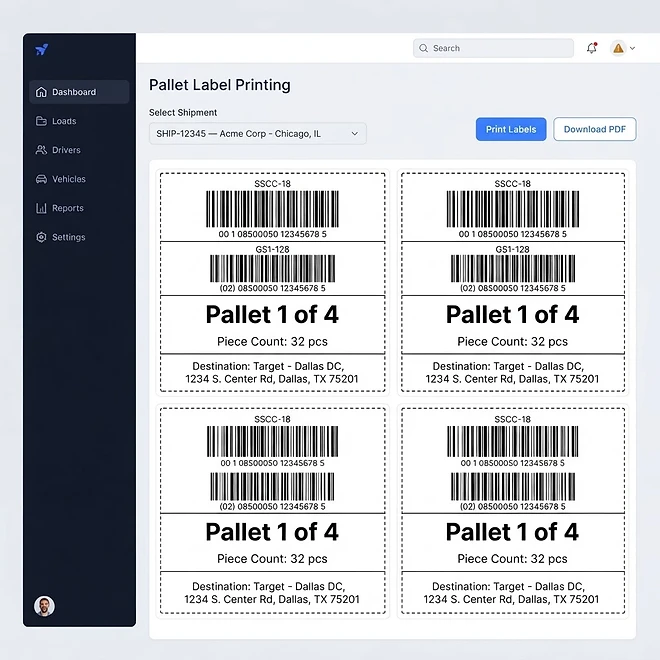
Representative screenshot of the Pallet Labels page.
Was this helpful?
Related modules
The operational command center for shippers. It surfaces shipment performance, open RFQ counts, dock-appointment throughput, and inventory reorder alerts — so a shipper sees outbound health, pending carrier awards, and warehouse readiness in one glance. (ShipperTMS only.)
A focused outbound overview for shippers. Track ready-to-ship orders, pending pickups, and in-transit shipments, and spot bottlenecks before they delay a customer. (ShipperTMS only.)
A live view of warehouse health for shippers. Inventory levels, dock-appointment throughput, pick/pack backlogs, and reorder alerts roll up across every warehouse and zone so you can balance labor and capacity. (ShipperTMS only.)
Create and track every outbound shipment — from tender through scheduled, in-transit, and delivered. Filter by status, link a provider, and watch awarded RFQ shipments bridge into a carrier's Load automatically with reverse status sync. (ShipperTMS only.)
Ready to put it into practice?
Start your free trial and explore this module with your own data.