Equipment My Listings — manage your equipment for sale in TMSDASH
Manage your equipment listings and inbound buyer inquiries. Create a listing with photos, specs, price, and condition, review inquiries from interested buyers, and update your listing status — all from one dashboard.
Overview
Manage your equipment listings and inbound buyer inquiries. Create a listing with photos, specs, price, and condition, review inquiries from interested buyers, and update your listing status — all from one dashboard.
How to get there
Key features
- Create and edit listings with photos, specs, price, and condition
- Listing status: pending, active, sold, inactive
- Review and respond to buyer inquiries
- Link a listing to a fleet Vehicle record (carrier sellers)
- Seller credibility card with contact details
Step-by-step
- 1Open the sidebar → Marketplace → Equipment Directory, then My Listings (or /equipment/my-listings).
- 2Click New Listing — enter title, type, make, model, year, price, and condition.
- 3Upload category-matched photos (first photo is the cover).
- 4Set the listing to active to publish it to the directory.
- 5Review inquiries from buyers and respond directly.
Page preview
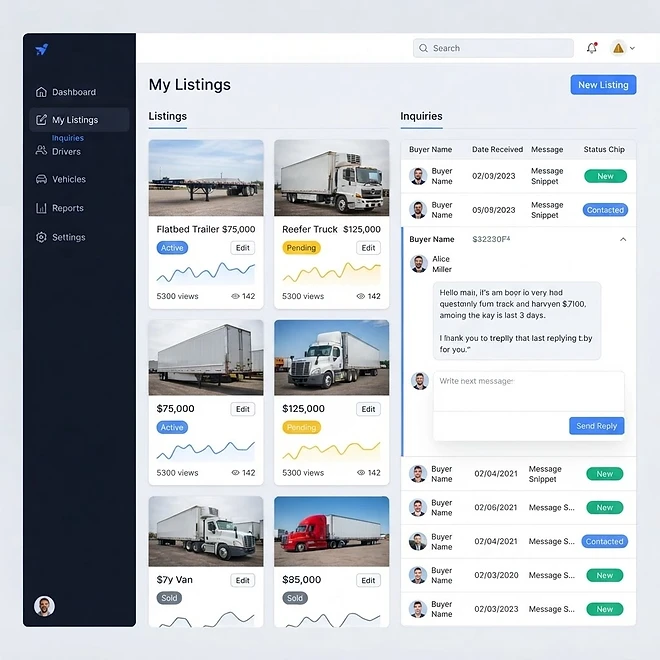
Representative screenshot of the Equipment My Listings page.
Was this helpful?
Related modules
An in-app AI assistant that answers operational questions and takes real actions across your TMSDASH data — loads, drivers, customers, invoices, maintenance, compliance, fuel, documents, and marketplace postings — right from a slide-out panel. It runs a bounded tool-calling loop: reading live data, then creating or updating records as you ask, with every write ownership-verified against your workspace and every tool result sanitized before it re-enters the model.
An external portal where your brokered carriers view and claim loads. Carriers sign in with an account, a share link, or an MC+PIN — no TMSDASH seat required.
Send documents out for legally-binding e-signatures. Place signature, initial, and date fields on any PDF, route to recipients in order, and track status through viewed → signed.
Tamper-evident record-keeping on the Base blockchain. Every new BOL, DVIR, invoice, signed document, and uploaded file gets a SHA-256 fingerprint anchored on-chain automatically, and a daily driver-GPS integrity commitment hashes each carrier's GPS activity once per morning. Only hashes go on-chain — document files, GPS coordinates, payments, and customer data always stay in TMSDASH private storage. The anchoring page tracks every anchor with verification, transaction tracking, and a testnet-to-mainnet network switch.
Ready to put it into practice?
Start your free trial and explore this module with your own data.